

- Minecraft Version
- 26.3
- 26.2
- 26.1
- 1.21
THE NEW MODERN PLOT PLUGIN,
IMPORT YOUR PLOTSQUARED TO PLOTIFY!

Please read:
Plotify was created to make plot servers feel more complete, modern and enjoyable — for both players and admins.
A lot of care went into every feature, with the goal of giving you a powerful system that still feels simple to use.
More than just plots — built to make your server stand out.

(!) Server version: 1.21 - & 26.3
(!) Java version: 21 and higher
(!) Dependencies: Fastasyncworldedit & PlaceholderAPI (optional)
(!) AI Keys: you can use FREE ai keys like from Groq or Openrouter.

IMPORT YOUR PLOTSQUARED TO PLOTIFY!
Please read:
Plotify was created to make plot servers feel more complete, modern and enjoyable — for both players and admins.
A lot of care went into every feature, with the goal of giving you a powerful system that still feels simple to use.
More than just plots — built to make your server stand out.
(!) Server version: 1.21 - & 26.3
(!) Java version: 21 and higher
(!) Dependencies: Fastasyncworldedit & PlaceholderAPI (optional)
(!) AI Keys: you can use FREE ai keys like from Groq or Openrouter.
 Complete Plot Management — claim, manage, merge, visit and customize plots in one system Modern In-Game GUIs — manage plots, members, settings and features without command spam Plot Auctions — let players buy and sell plots through a built-in marketplace Plot AI — AI-assisted building ideas and smart plot tools Borders & Walls — customize plot borders and walls directly in-game Biome System — change the biome of individual plots through a GUI Member Management — add trusted players and control who can access or edit a plot Plot Flags — fine-tune plot behavior with configurable settings Plot Ratings — rate builds and compete through community leaderboards PlotHolo — display useful plot information with customizable holograms PlotTitle — show custom titles and messages when players enter plots Plot Music — give individual plots their own music Custom Plot Portals — create portals that connect plots and destinations Admin Plot Editor — powerful maintenance and moderation tools directly in-game Blueprint & Schematic Support — capture and reuse plots, roads and templates Custom Plot Worlds — create worlds with configurable plot size, roads and blocks Creative & Survival Plot Worlds — use Plotify for different server styles PlotSquared World Import — move existing PlotSquared worlds into Plotify
What can Plotify from PlotSquared import?
- Plot world with complete structures
- Plot Biomes
- Plot TRUSTED or ADDED members
- Plot Flags
- Server Plot
- Plot road design (Plotworld design)
- Plot Border & Plot Walls
- you need more? ask on discord...
NEW FETURE: PLOTROADS REGEN!: You can change the plot road designs of an existing world using a command and a schematic of your choice. (Keep in mind that this is an experimental feature and may have bugs; there is no guarantee it will work.)
Vault Economy Support — connect plot purchases and auctions to your server economy SQLite & MySQL Support — flexible storage for small and large servers Highly Configurable — customize GUIs, permissions, messages and many core systems Performance Focused — built to keep advanced plot features practical on live servers Active Development & Support — regular updates, fixes and help when neededPowerful Addons Included!
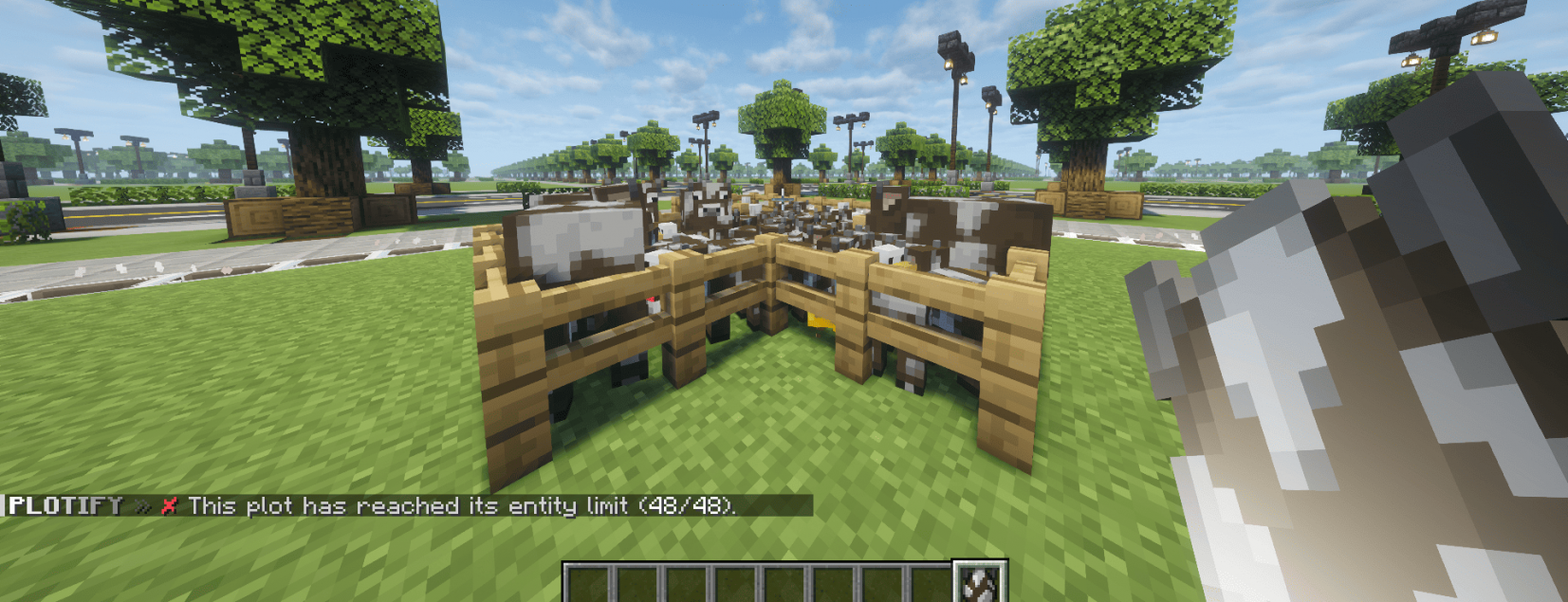
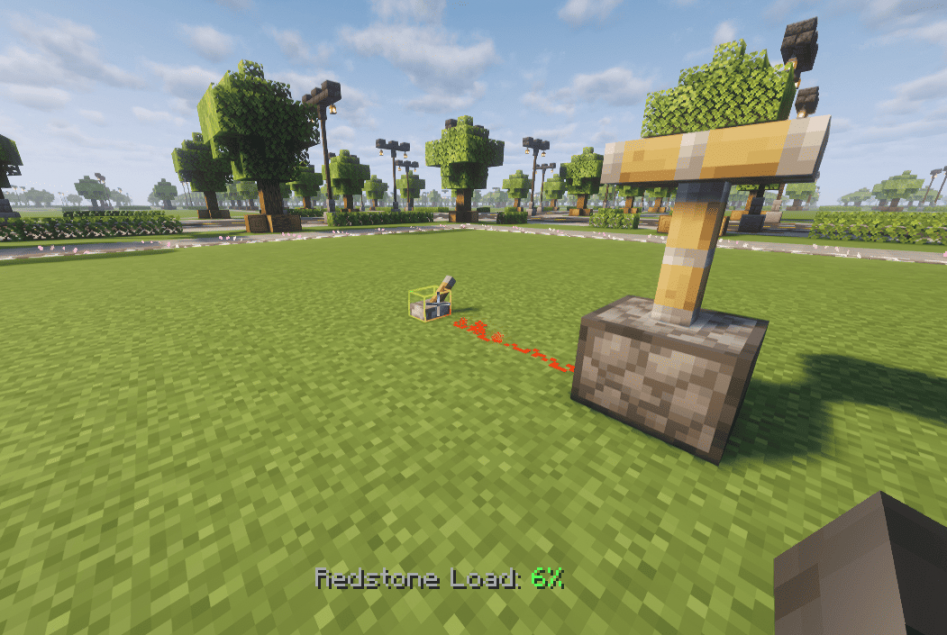
Plotify includes essential extensions like Plot Redstone and Plot Entity per plot right out of the box. Keep full control over your plot worlds and ensure maximum server performance effortlessly!

» PLOT AUCTIONS «
Sell & Buy Plots from Players

» ADMIN EDITOR & PLOT VAULT «
Plot Vault is like a shared storage for items (it could also have a different name instead of Plot Vault)

» INFO PLOTHOLO & PLAYER PLOTHOLO «
Brief description: Every plot has an info hologram, allowing you to see at a glance who owns the plot and view other details; additionally, players can create their own plot holograms (if the feature is enabled).

» PLOTIFY BORDER SHOWCASE «
(you can decide between Block Borders & Particle Borders)

» PLOT MERGE / CLEAR «
(you can decide between Animated & Fast)

» PLOT MEMBER MANAGMENT «
DECIDE BETWEEN:
ADDED = Can build and interact on the plot while the owner is online.
TRUSTED = Can build and interact on the plot even when the owner is offline.

» FLAGS / BIOMES / PLOT BUY / WALLS «
With "Plot Buy" you can either purchase the plot you are currently standing on or click within the GUI to get a random new plot.

» PLOT TITLE / MUSIC / TIME & WEATHER «
You can also upload custom music and have it play on plots (.mid/.midi files only).

& much more ...
Plotify includes essential extensions like Plot Redstone and Plot Entity per plot right out of the box. Keep full control over your plot worlds and ensure maximum server performance effortlessly!
» PLOT AUCTIONS «
Sell & Buy Plots from Players
» ADMIN EDITOR & PLOT VAULT «
Plot Vault is like a shared storage for items (it could also have a different name instead of Plot Vault)
» INFO PLOTHOLO & PLAYER PLOTHOLO «
Brief description: Every plot has an info hologram, allowing you to see at a glance who owns the plot and view other details; additionally, players can create their own plot holograms (if the feature is enabled).
» PLOTIFY BORDER SHOWCASE «
(you can decide between Block Borders & Particle Borders)
» PLOT MERGE / CLEAR «
(you can decide between Animated & Fast)
» PLOT MEMBER MANAGMENT «
DECIDE BETWEEN:
ADDED = Can build and interact on the plot while the owner is online.
TRUSTED = Can build and interact on the plot even when the owner is offline.
» FLAGS / BIOMES / PLOT BUY / WALLS «
With "Plot Buy" you can either purchase the plot you are currently standing on or click within the GUI to get a random new plot.
» PLOT TITLE / MUSIC / TIME & WEATHER «
You can also upload custom music and have it play on plots (.mid/.midi files only).
& much more ...
[*] You may NOT distribute the plugin to anyone else.
[*] You may NOT attempt to decompile the plugin or modify the source code in any way.
[*] You can ONLY run the plugin on servers that you directly own, there is no server limit as long as you own the server.
[*] You may NOT attempt to decompile the plugin or modify the source code in any way.
[*] You can ONLY run the plugin on servers that you directly own, there is no server limit as long as you own the server.
Permissions
Plotify provides built-in permission nodes as well as support for custom permissions inside configurable GUI menus.
Plotify provides built-in permission nodes as well as support for custom permissions inside configurable GUI menus.
| Permission | Description |
|---|---|
|
Code:
| Grants access to Plotify administrator features. |
|
Code:
| Grants access to all Plotify admin bypass permissions. |
|
Code:
| General bypass permission for Plotify restrictions. |
|
Code:
| Allows restricted item limitations to be bypassed. |
|
Code:
| Allows restricted item restrictions to be bypassed. |
|
Code:
| Grants access to standard Plotify player features. |
|
Code:
| Root permission required to access the main
Code:
|
|
Code:
| Allows access to an individual Plotify command. |
|
Code:
| Allows access to the Plotify AI command. |
|
Code:
| Allows the player to use AI-powered building features. |
|
Code:
| Sets or grants a specific plot limit, for example
Code:
|
|
Code:
| Sets or grants the corresponding Vault-related limit, for example
Code:
|
Custom GUI Permissions
All new Plotify menu YAML files support a configurable:
Code:
permission:Custom permissions can be assigned to:
- Menus
- Slots
- Materials
- Categories
- Controls
Example:
Code:
permission: myserver.vip.plot-titleThese permission nodes do not need to be registered as official Plotify permissions.
Plotify checks configured permissions dynamically using
Code:
hasPermission(...)Example custom nodes:
Code:
myserver.vip.plot-title
myserver.builder.materials
myserver.premium.category
Administrator Behavior
Administrators automatically bypass configurable GUI permission requirements.
However:
Code:
enabled: falsealways keeps an option disabled, including for administrators.
Command Permissions
Individual commands can be controlled using:
Code:
plotify.command.<command>Keep in mind that the main
Code:
/plot
Code:
plotify.useas its root permission.
Players
Current plot (plot the player is standing on)
- %plotify_plots_owned% — number of plots the player owns
- %plotify_plots_max% — max plots the player is allowed to own
- %plotify_vault_max_pages% — max vault pages the player has
Current plot (plot the player is standing on)
- %plotify_plot_id% — plot ID (x;z)
- %plotify_plot_id_formatted% — formatted ID (Plot x, z)
- %plotify_plot_world% — world name
- %plotify_plot_owner% — owner name
- %plotify_plot_owner_uuid% — owner UUID
- %plotify_plot_alias% — plot title/alias
- %plotify_plot_biome% — plot biome
- %plotify_plot_is_claimed% — whether the plot is claimed (true/false)
- %plotify_plot_is_owner% — whether the player is the owner (true/false)
- %plotify_plot_members_count% — number of members
- %plotify_plot_rating% — average rating (e.g. 4.2)
- %plotify_plot_rating_stars% — star display (e.g. ★★★★☆)
- %plotify_plot_pvp% — PvP flag enabled (true/false)
- %plotify_plot_for_sale% — whether the plot is for sale (true/false)
- %plotify_plot_price% — sale price
- %plotify_plot_wall% — wall block material
- %plotify_plot_border% — border block material
- %plotify_plot_border_height% — border height offset
A full wiki is coming next weeks, please be patient.
If you have any questions or anything else, you can get support almost anytime!


![NitroSkulls ☄️ Ultimate Head Engine ⭐ 92000+ & Smart Skull System [1.20 - 26.x]](/data/product_icons/4/4840.jpg?1764193743)



![GWorld - World Managementsystem [1.8.8 - 1.19.x]](/data/product_icons/2/2040.jpg?1636130290)